Landing Pages
Add Website
- Loggin with url your_site_url/profile
- Click New Website.
- Select your prefer template, click Select this template.
- Fill your website name then click OK.
Publish Website
- Loggin with url your_site_url/profile
- Select relevant website then click Select

- In the website details, scroll down to Domains section, click Add Domain

- In the Domain popup, fill the domain name then click OK.
Add variant
- Still in the Website details page, scroll down to Variants section, click Add variant button.
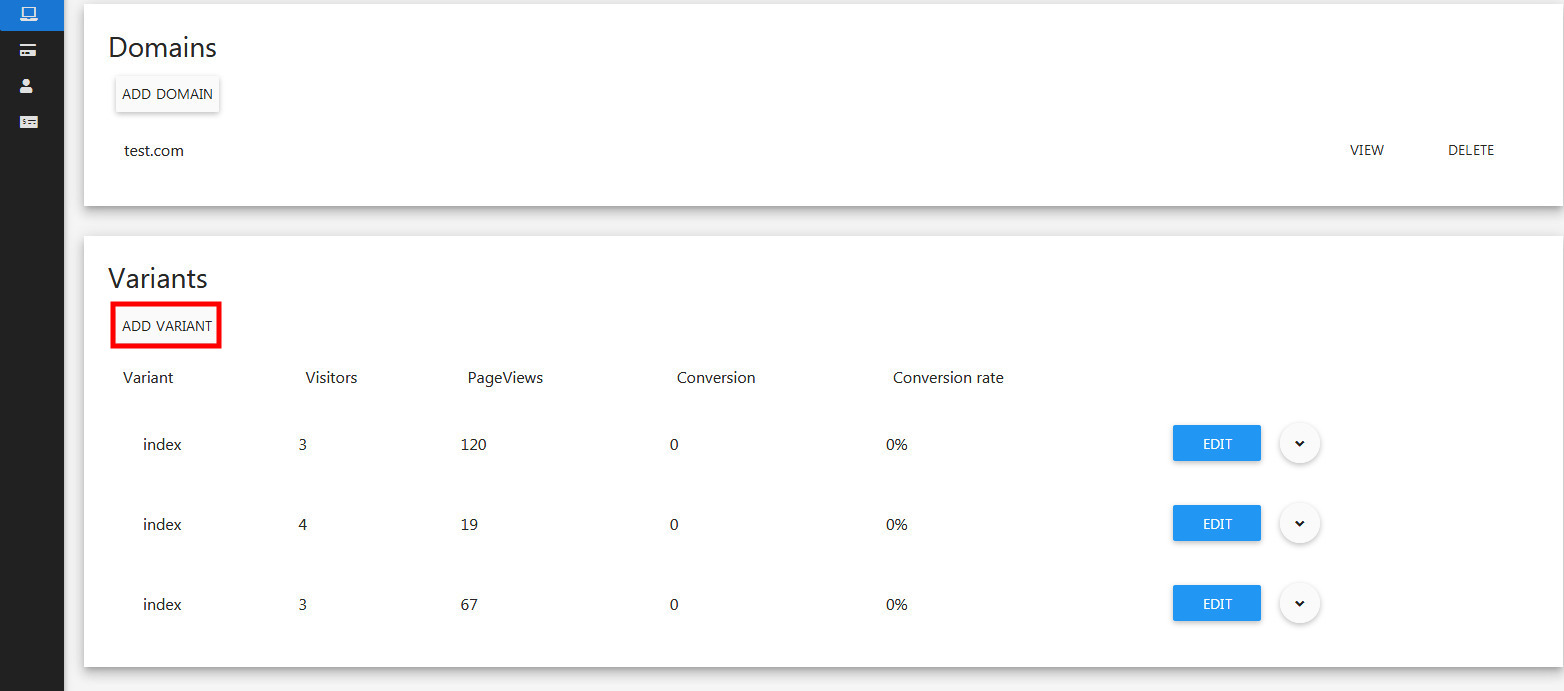
- In the Add Variant dialog, enter variant name and select this template. Click OK.
Copy variant
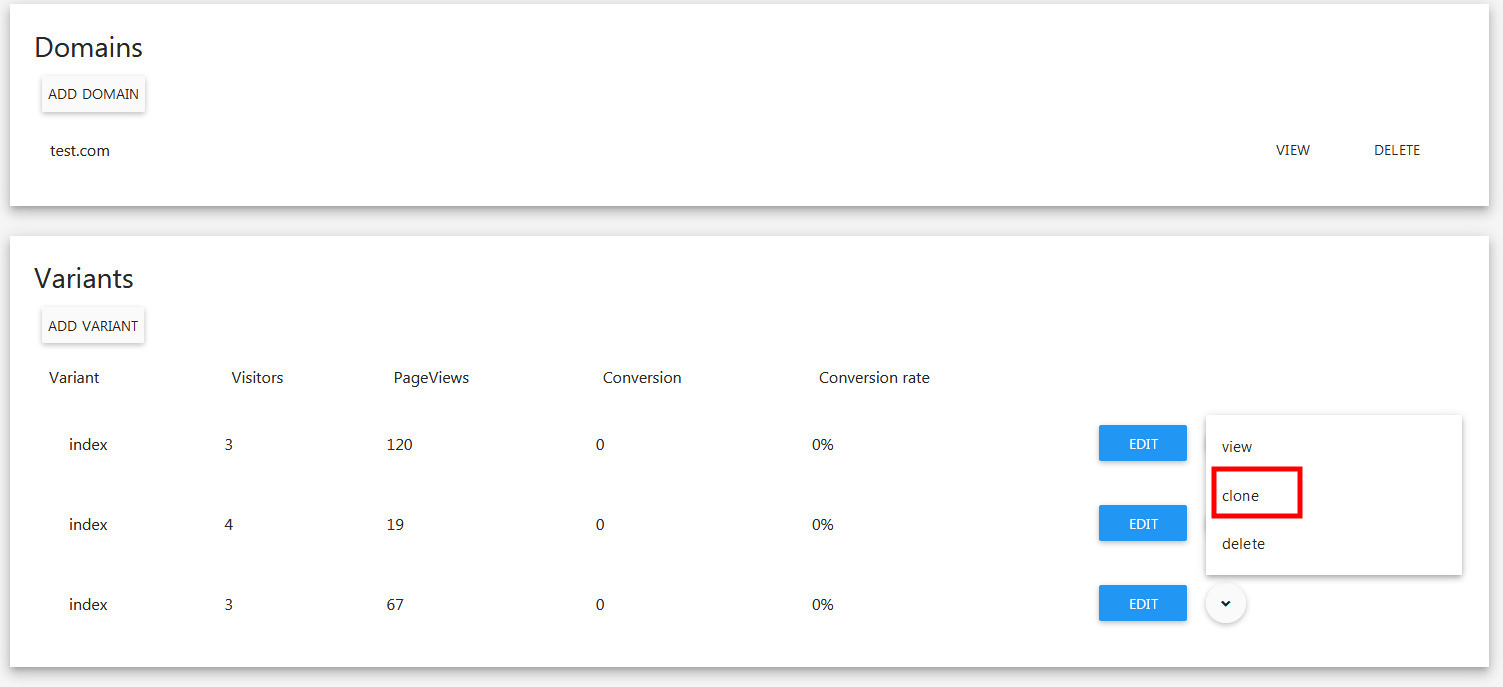
- Still in the Website details page, scroll down to Variants section, select a relevant variant and click Toggle down button.
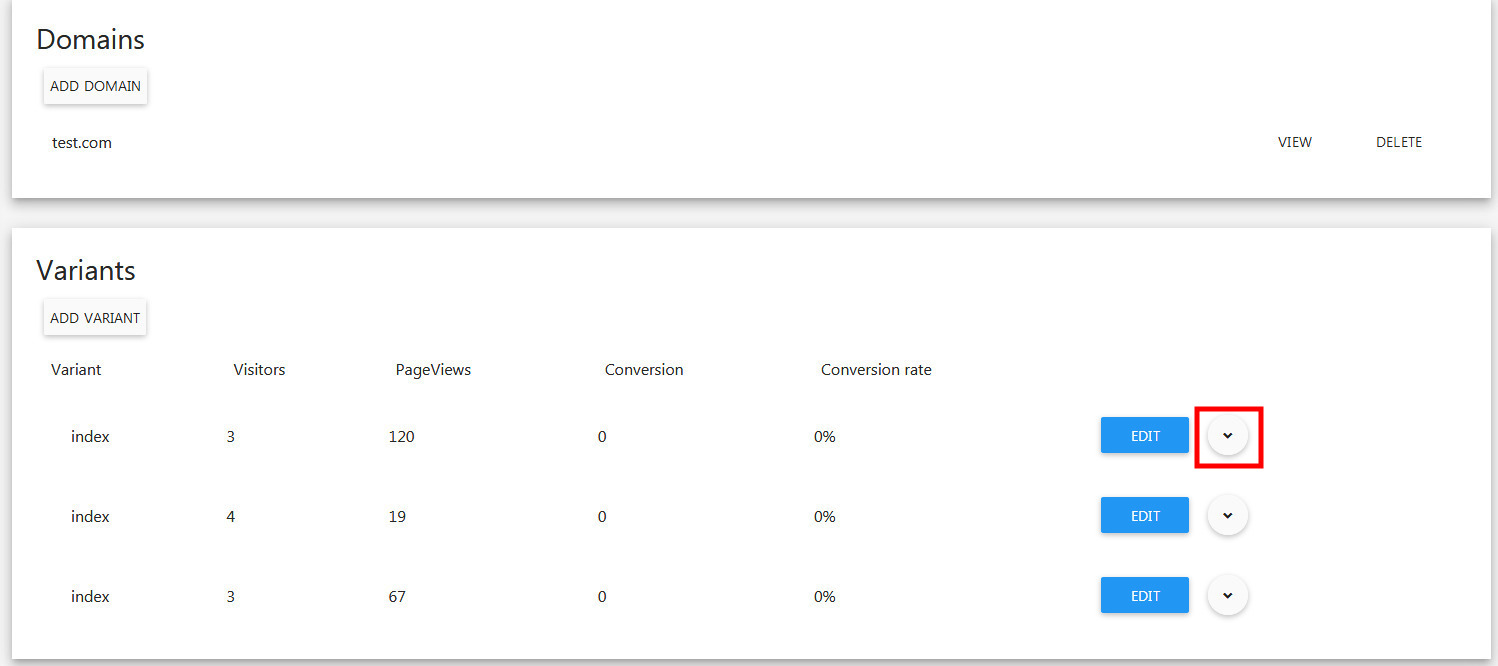
- Select clone in the menu dropdown.
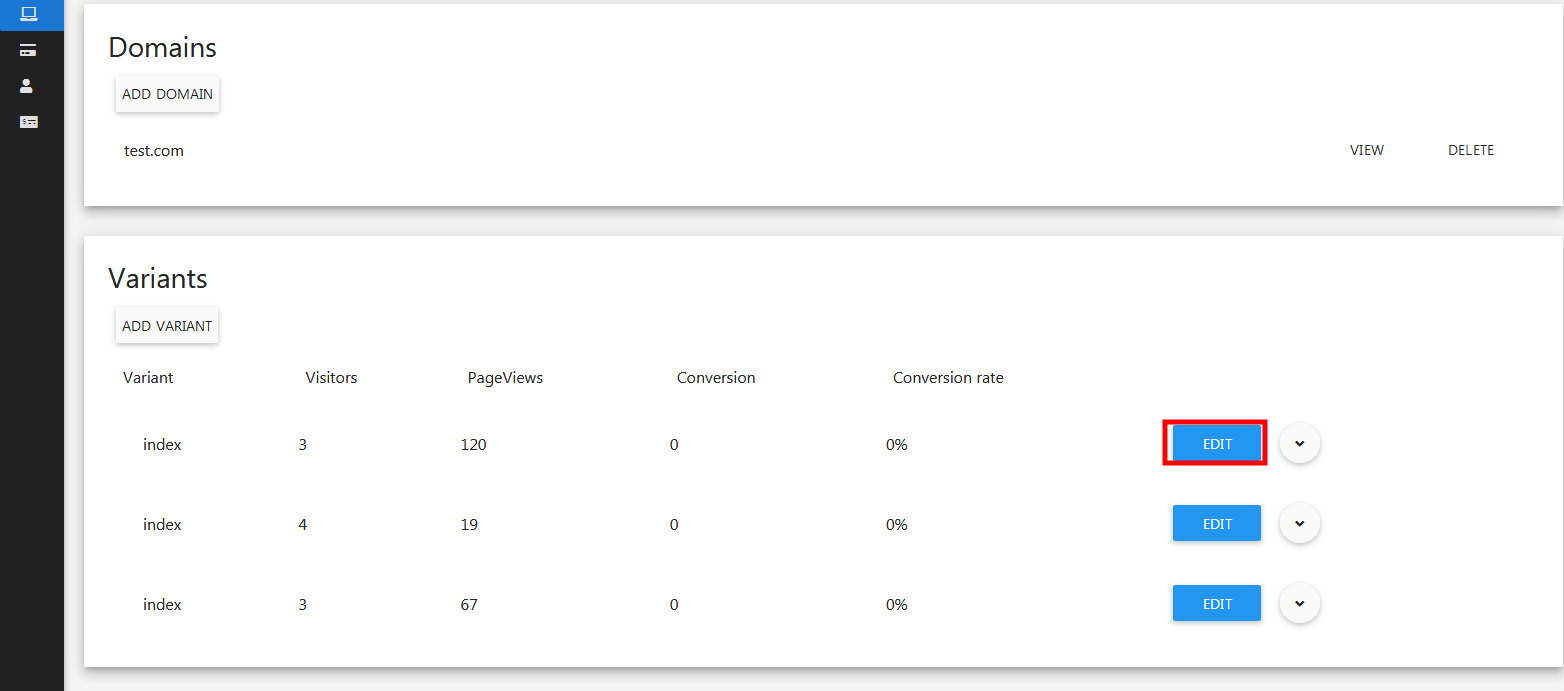
Edit variant
- Still in the Website details page, scroll down to Variants section, select a relevant variant and click Edit button.
- Select clone in the menu dropdown.