Hubspot
Create Hubspot Application
- Create a new Hubspot Developer Account in https://app.hubspot.com/signup/developers
- Access Hubspot Developer Site with this account.
- Select Apps > Create Application, fill all required filed in the popup and click Create.

- Back to Apps, select your created application
- From the application form, copy client_id and client_secrect.
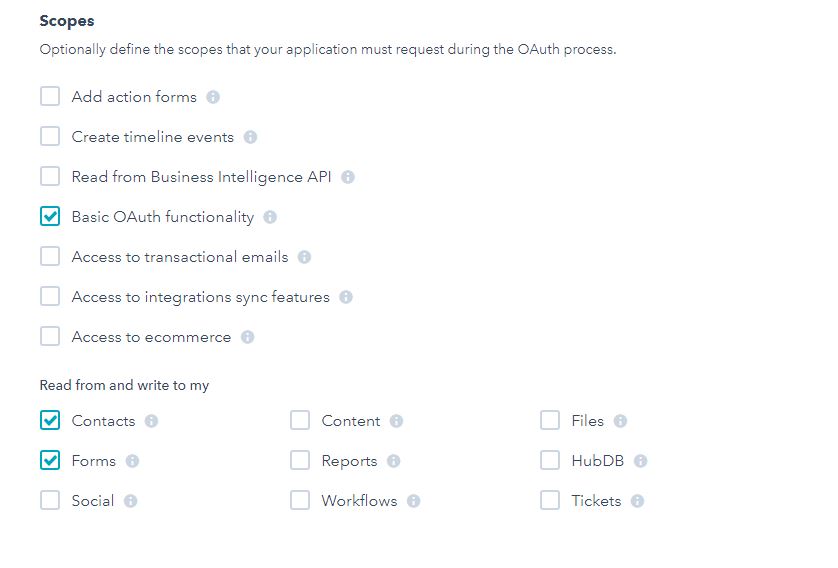
- Scroll down the form to view the Scopes section, check same as the screenshot then click Save
Integrate with your site
Open Administration page, navigate to Settings->Integrations. Scroll to the Hubspot form and fill required information.